
SignalScope
Names why your mobile data dropped — not just that it did.
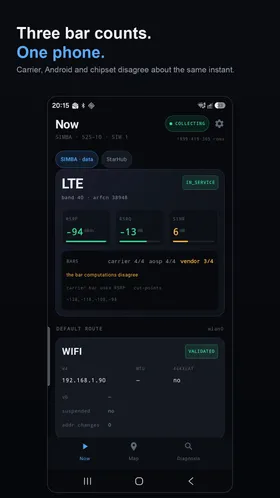
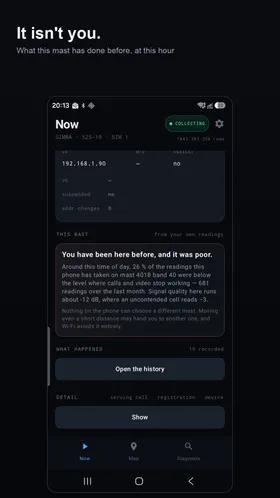
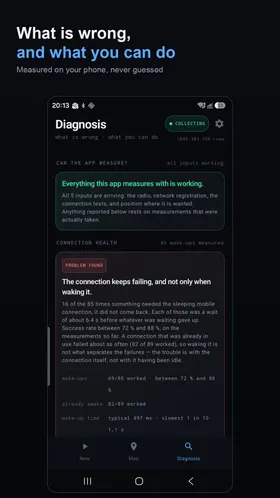
An Android diagnostics app for mobile data drops. "Data goes on and off" is a symptom with twelve distinct root causes — weak signal, a bad network handoff, a carrier-side issue, and more — each needing a different fix. Existing tools (speed tests, signal-bar widgets) show you state; SignalScope discriminates cause.
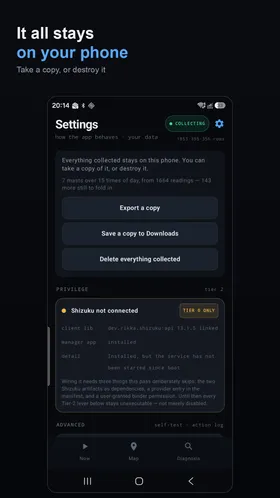
SignalScope is a single-developer research project, and it records more than a casual diagnostics tool would. To tell the causes of a data drop apart, it keeps a timestamped history of the mobile masts serving your phone and, if you allow location, of coarse areas about 65m across — never an exact address. That is a real movement history, and it is kept whether or not you grant location permission, so treat it as sensitive. It also runs small connection and speed tests automatically (some battery, up to about 1MB of mobile data a day), and collection can pause in the background because it doesn’t yet ask for a battery-optimisation exemption.
What it records stays on your phone unless you turn on Contribute to the shared coverage map, which is off by default. If you do, it sends an anonymous summary — signal quality per area of about 460m, network and band, dated only to the week — at most once a day, and only over Wi-Fi or another unmetered connection. There are no accounts, ads, analytics or tracking. The full detail is in the privacy policy.
There are two ways to install it, and they aren’t interchangeable.
Google Play
The one to use if you just want to try it. Play installs and updates it for you, and because it’s a release build signed with a permanent key, updates keep your data. Unlike the debug APK, it isn’t a debuggable build, so USB debugging can’t be used to read what it has collected.
GitHub APK
The latest development build, rebuilt automatically on every change — so it can be ahead of the Play version, and rougher. It’s for people who want to try the newest changes or follow along.
- It’s a debug build, so Android will warn about installing from an unknown source. That’s expected, not a sign anything’s wrong.
- Anyone with USB-debugging access to your unlocked phone can read what it has collected.
- Every build is signed with a different throwaway key, so Android won’t update one over another: updating means uninstalling first, which deletes everything it collected.
- For the same reason, you can’t switch between this and the Play version without uninstalling first.
Where it’s at
Running on hardware, with a reference device on Android 16, dual-SIM. Early testing already found real surprises: outright loss of service turned out to be far more common on that phone than expected, while a cause the original design assumed would matter (5G-to-LTE anchor switching) turned out not to apply at all — exactly the kind of device-specific finding this app is meant to catch.
Where to find this app